Today
Your code runs on a computer you have never seen.
Push, and a minute later there is a URL. There is also a bill that grows with your traffic, a build machine you cannot inspect, and a copy of your source on a disk you do not administer.
Also today
You already own a computer that could do it.
The rack, the VPS you are already paying for, the mini PC under the desk. It has the CPU. What it does not have is the part you were actually paying for.
Kubify

What renting costs
- The invoice grows with the thing you wanted to grow.
- Your source is cloned onto hardware you do not control.
- The build happens somewhere you cannot attach a debugger to.
- When it breaks you open a ticket and wait.
- The exit costs a rewrite, which is why the price can rise.
What owning costs, today
- A Deployment, a Service, an Ingress, and a certificate issuer.
- A registry, and somewhere to run the builds that fill it.
- Secrets, rotated by you, mounted correctly by you.
- No preview for a pull request unless you build that yourself.
- All of it YAML, and all of it yours to keep working.
This is the real reason people rent. Not the servers. The forty files.
Nothing on this side changes. It works, it always worked, and it will keep sending the invoice.
The turn
Kubify is the left column’s ergonomics, on the right column’s hardware.
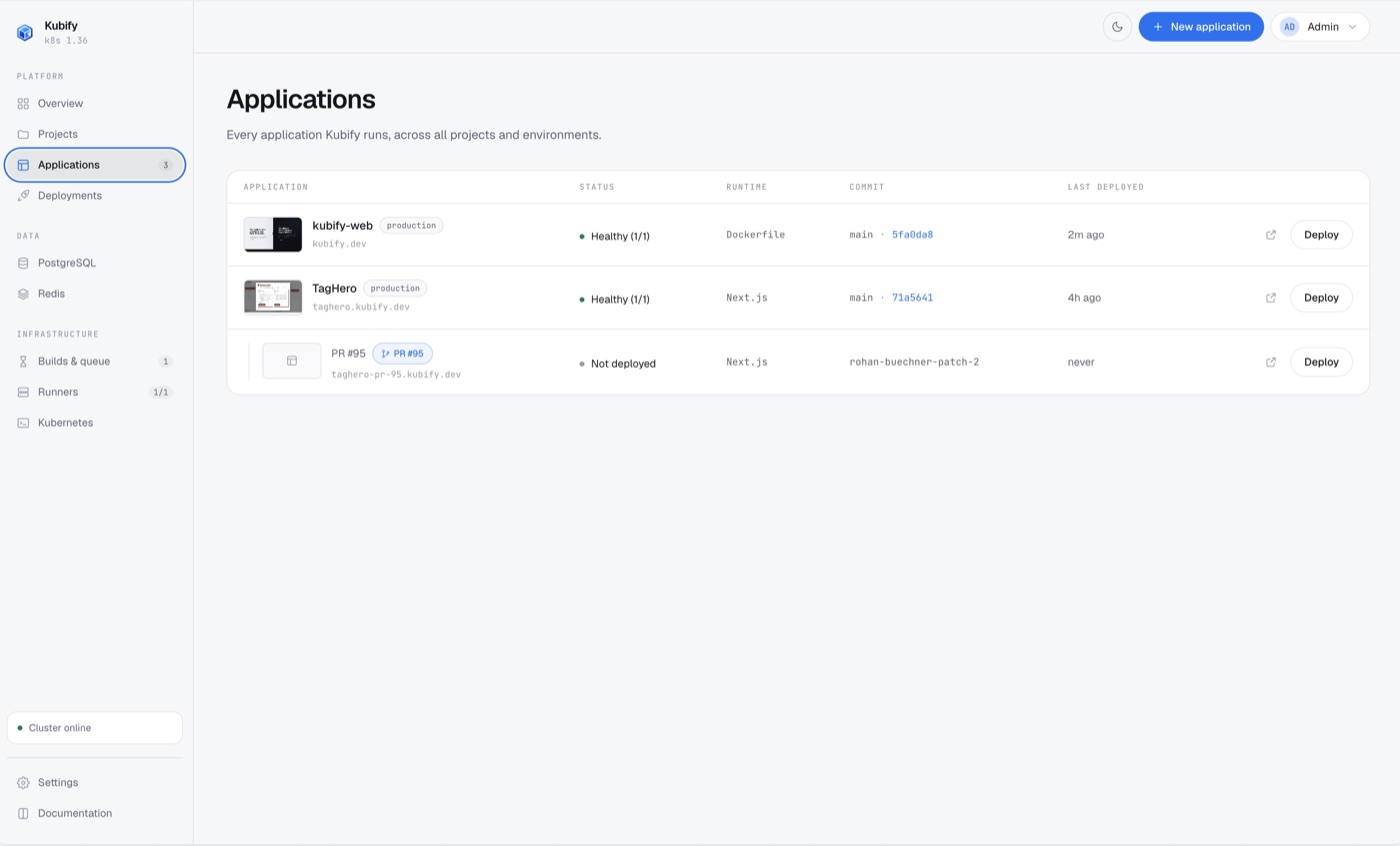
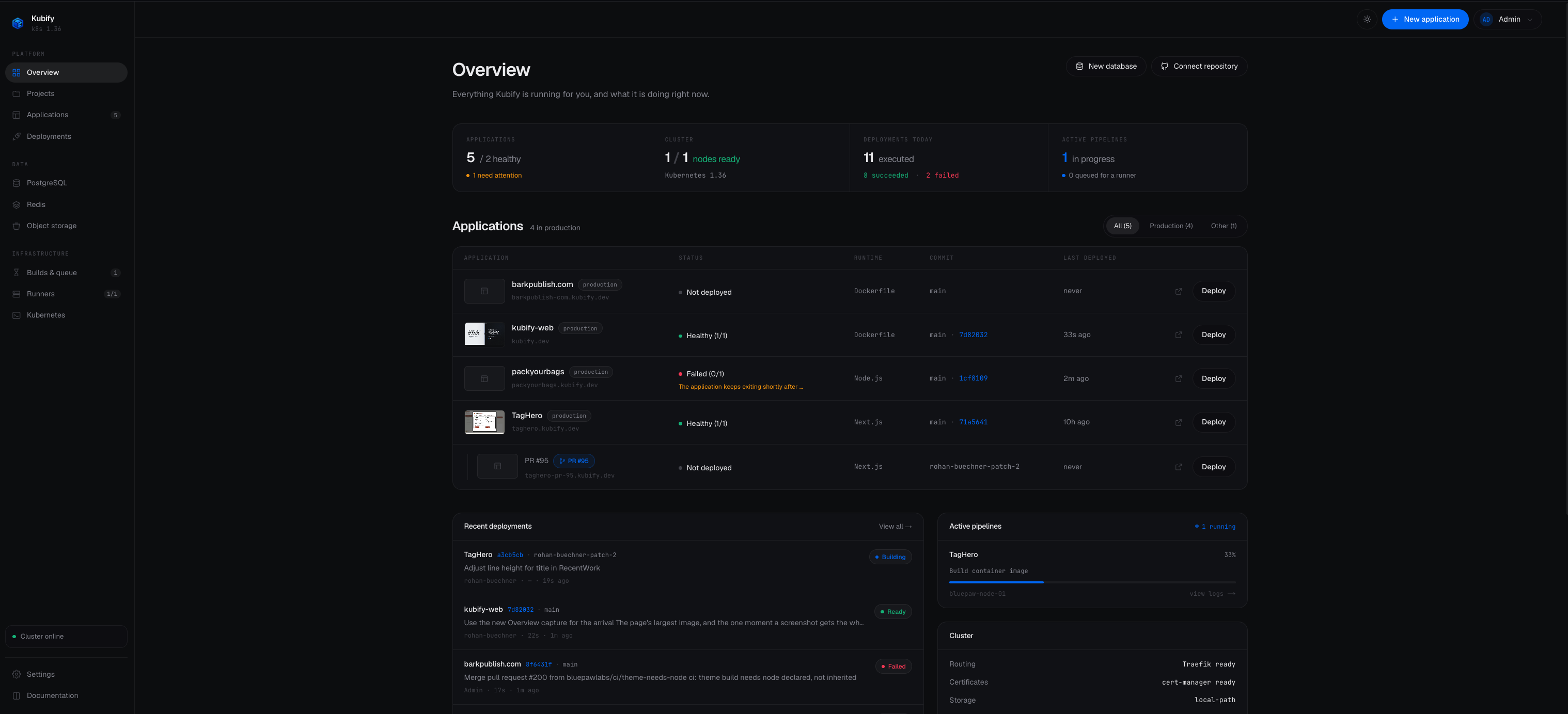
It installs into a cluster you already have. You connect a repository; it builds on your own nodes, pushes to a registry it runs for you, rolls the image out, asks cert-manager for a certificate, and gives every pull request an environment of its own that disappears when the request closes.
You keep the cluster. Kubify is a tenant in it, not a replacement for it:
everything it makes is an ordinary Deployment, Service and Secret that you can
read with kubectl and delete without asking anyone.
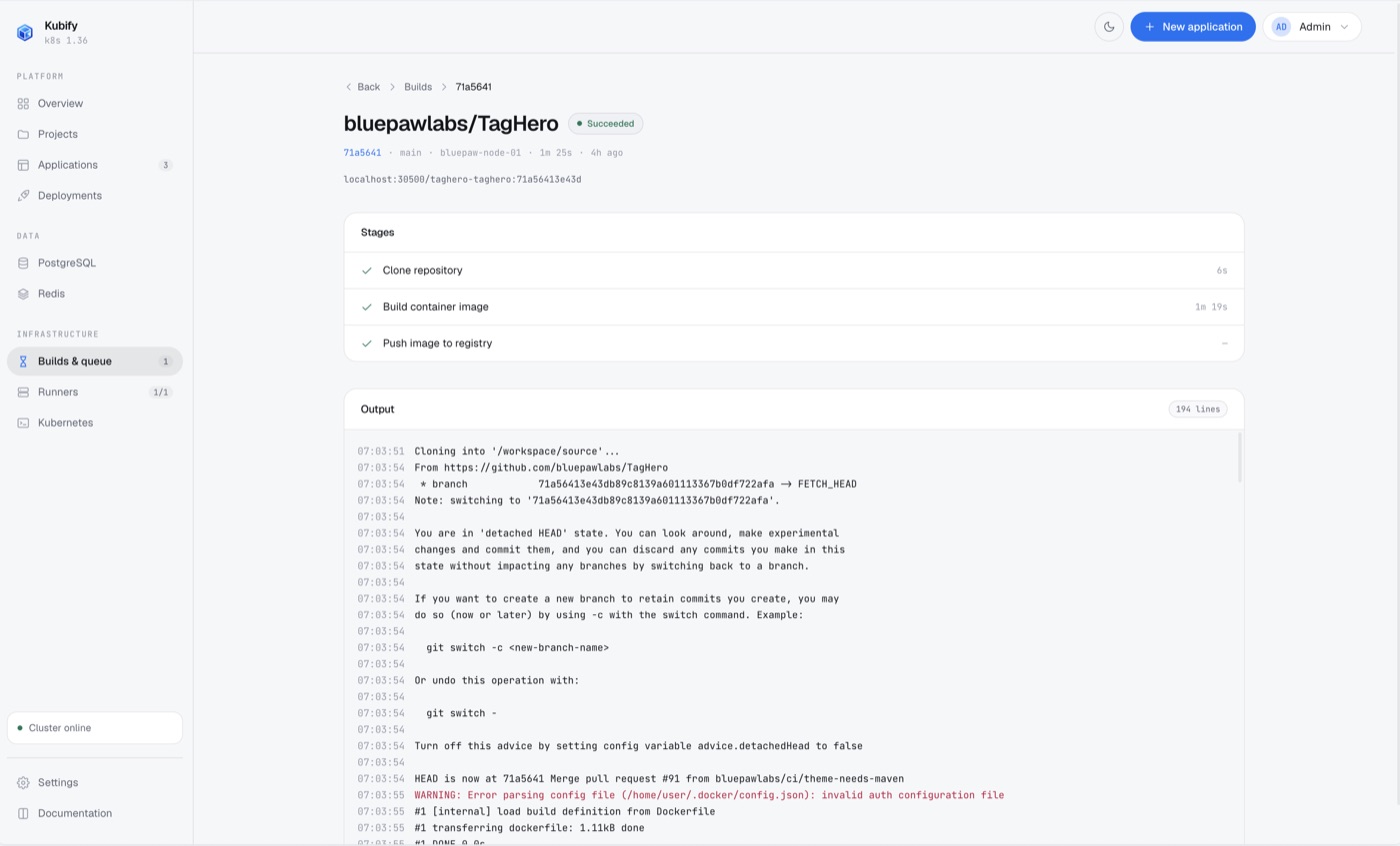
What it does, on your nodes
- Builds
- Rootless BuildKit in a short-lived Job. No Docker socket, no privileged pod.
- Images
- An in-cluster registry on a volume you own, keeping the last ten per application so it cannot grow without bound.
- Domains
- A route and a certificate per hostname, issued automatically once DNS points here.
- Data
- PostgreSQL and Redis provisioned per environment, with the connection string injected for you.
- Previews
- A namespace, a build of the exact commit, and a hostname per pull request. Removed when it closes.
0s pull request opened to preview running, measured on the reference installation: a Next.js application on a single node.
One command.
Keep scrolling. It types itself.
$
Your cluster
Setup
Get Started
Two answers, and the rest of this is one paste.
brew install helm
brew install --cask rancher
rdctl start --kubernetes.enabled=true
kubectl config use-context rancher-desktop

helm install kubify oci://ghcr.io/bluepawlabs/charts/kubify \
  --namespace kubify --create-namespace \
  --set host=kubify.localhost \
  --set-string encryptionKey="$(openssl rand -base64 32)" \
  --wait
Keep that key. It encrypts every credential Kubify stores, and losing it makes
them unrecoverable. Change host to a name that resolves to the
cluster; on a laptop the one above already does. There is no account to create
and no licence to buy; telemetry goes to your own collector or nowhere at all.